




Home entertainment has changed a lot in recent years. We don’t rely on fixed schedules or limited channels anymore. Now, viewers have a world of endless options at their fingertips.
An electronic program guide keeps you organized. It shows when your favorite shows will air. This digital tool acts as your TV’s personal assistant. It helps you plan your viewing days in advance, so you never miss out.
To get the most out of your IPTV service, learn the EPG’s layout. This guide makes finding movies and local news easy. Let’s explore how this technology enhances your daily entertainment.
Understanding the Basics of Electronic Program Guides
Learning about Electronic Program Guides (EPGs) is key for IPTV streaming. An EPG is an on-screen guide that shows TV listings and schedules for now and later. It helps users see what’s on and plan their TV time.
EPGs let you look through channels and see what’s on now. They make it easy to find new shows and manage your TV watching. This feature improves your viewing experience.
What is an EPG in the Context of IPTV
In IPTV, an EPG is like a TV guide built into the service. It’s different from traditional TV guides that come with TV signals. IPTV EPGs get their info from the internet.
This means you get more detailed info, like show descriptions and ratings. The data comes from a server and shows up on your device. It makes finding channels and shows easy.
- Detailed program listings
- Real-time updates
- User-friendly navigation
- Integration with IPTV services
How EPG Data is Transmitted to Your Device
Getting EPG data to your device takes a few steps. First, the data is gathered and made into a format like XMLTV.
Then, it’s stored on a server. Your IPTV player or app gets this data and shows it on your screen. This way, you see what’s on now and later for each channel.
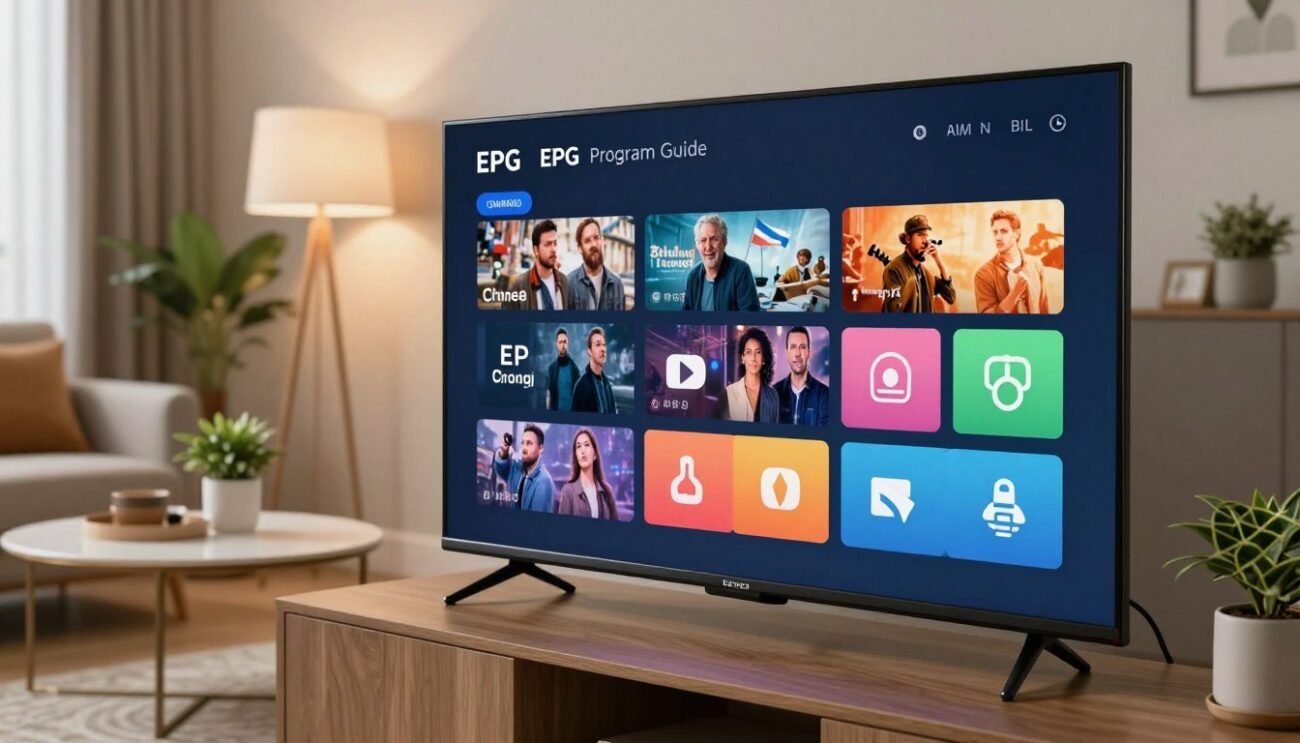
This process keeps your info current. The quality of the EPG data depends on its source and how it’s sent. This ensures you always have the latest TV listings.
The Role of the IPTV EPG Guide in Modern Streaming
IPTV EPG guides are key in TV streaming. They help users find and enjoy their favorite shows. These guides list all channels and programs, making it easy to navigate.
Enhancing User Navigation and Content Discovery
IPTV EPG guides make it easy to find what you want to watch. They offer a simple way to see channel listings and program listings. Users can read descriptions and plan their viewing.
They also help users find new shows by organizing them by genre. This makes it simple to find movies, sports, or news that you like.

The Difference Between Static and Dynamic EPGs
There are two main types of EPGs: static and dynamic. Static EPGs have a fixed schedule that changes only when updated manually. They are easy to set up but might not always have the latest info.
Dynamic EPGs update in real-time. They give users the latest program listings and channel listings. They are more complex but offer a more current viewing experience.
Choosing between static and dynamic EPGs depends on the IPTV service provider and their users. Both types have benefits and can improve the TV streaming experience.
Key Components of an IPTV EPG Interface
A good IPTV EPG interface makes watching TV better. It has a simple layout and shows lots of program details.
The IPTV EPG interface has important parts. These parts help users watch TV smoothly. They include channel logos, metadata, program descriptions, and genre categories.
Channel Logos and Metadata Integration
Channel logos make the EPG interface look better. They help users find their favorite channels easily.
Metadata is key too. It gives extra info about programs, like titles, descriptions, and when they air.

Adding channel logos and metadata makes the EPG interface better. It helps users choose what to watch and when.
Program Descriptions and Genre Categorization
Program descriptions give a detailed look at what’s on. They help users decide if they want to watch something.
Genre categories let users find shows they like. It’s easier to find new things to watch.
With these features, IPTV providers can make a great EPG interface. Using metadata and genre categorization makes watching TV more fun and personal.
How to Configure Your IPTV Player for EPG Support
To get the most out of your IPTV service, setting up EPG support is key. It makes watching TV better and easier to find what you want to watch.
Selecting a Compatible IPTV Player Application
The first thing to do is pick an IPTV player that works with EPG data. Some top choices include:
- TiviMate IPTV Player
- IPTV Smarters Pro
- Perfect Player IPTV
Look at the player’s design, features, and if it fits your device when you choose one.
Locating and Importing EPG Source URLs
Next, find a good EPG source URL. EPG data comes in XMLTV files or similar. Here’s how to do it:
- Find a trusted EPG provider with XMLTV files.
- Get the URL for the EPG data feed.
- Add the EPG source URL to your IPTV player.

By following these steps, you can set up your IPTV player for EPG support. This will make watching TV even better.
Step-by-Step Guide to Loading EPG Data
Loading EPG data is key to a better IPTV experience. It lets you see a detailed program guide. This makes it easier to find shows and plan your TV time. Here, we’ll show you how to load EPG data, from finding good sources to setting up automatic updates.
Finding Reliable XMLTV Sources
Finding a good XMLTV source is the first step. XMLTV is a common format for EPG data. Look for sources that offer accurate data, update often, and work with your IPTV player.
Reliable XMLTV sources give you high-quality data that’s updated often. You can find them online, in IPTV forums, or by searching for EPG providers. Make sure the source works with your IPTV player to avoid problems.

Mapping Channels to EPG IDs Manually
Once you have an XMLTV source, you’ll need to match your IPTV channels with EPG IDs. This step is important for accuracy. It can take some time but is worth it.
To do this, go into your IPTV player’s settings. Match each channel with its EPG ID. The steps might differ based on your player. Check your player’s manual for help.
Automating EPG Updates for Real-Time Accuracy
To keep your EPG data current, automate updates. Most IPTV players let you set up automatic updates. This keeps your guide fresh and up-to-date.
Automating EPG updates saves you time. It also makes sure you have the latest show listings. This is great for keeping up with schedule changes or new shows.
Common File Formats Used for EPG Data
To manage and display EPG data well, knowing the common file formats is key. The Electronic Program Guide (EPG) is a must-have for TV viewing today. It shows a detailed schedule of programs available.
XMLTV is the top file format for EPG data because it’s flexible and can grow. Knowing these formats helps ensure your IPTV works well.
Understanding XMLTV and Its Structure
XMLTV is an XML file format for sharing EPG data. It’s easy for humans and machines to read and use. This makes it perfect for IPTV EPG guides.
XMLTV has elements like channel and programme for metadata. This includes channel names, program titles, and airing times. Here’s a look at XMLTV’s structure:
| Element | Description | Example |
|---|---|---|
| channel | Defines a television channel | <channel id=”channel1″><display-name>Channel 1</display-name></channel> |
| programme | Describes a specific TV program | <programme start=”20230701060000″ stop=”20230701063000″ channel=”channel1″><title>Morning News</title></programme> |
The Role of GZIP Compression in EPG Files
GZIP compression makes EPG files smaller. This makes them easier to send and store. IPTV services use it to save bandwidth and speed up loading times.
It’s especially helpful with big EPG datasets. GZIP lets data transfer faster and saves space on devices. This improves your TV watching experience.

When picking an IPTV player or setting up EPG, think about file formats and compression. Make sure your IPTV EPG guide works well with formats like XMLTV and GZIP.
Optimizing Your Viewing Experience with EPG Features
To get the most out of your IPTV service, it’s key to know how to use EPG features. The Electronic Program Guide is more than just a list of TV programs. It has features to make your viewing better.
Setting Reminders for Upcoming Shows
Setting reminders for your favorite shows is a great EPG feature. This way, you’ll never miss an episode. To set a reminder, find the program in the EPG, select it, and choose ‘Remind Me’ or a similar option.
Reminders can be managed in the EPG settings or the channel’s menu. You can get notifications a few minutes before the show or at a time you choose.
Using Search and Filter Functions Effectively
The search function in an EPG helps you find shows, movies, or genres quickly. Just type in what you’re looking for, and the EPG will show you what’s available.
Filtering lets you narrow down content by genre, channel, or time. It’s great for finding new shows or planning your viewing.
Managing Favorites and Custom Channel Lists
Most EPGs let you make a list of favorite channels for easy access. To do this, go to a channel you watch often, select it, and choose ‘Add to Favorites’ or a similar option.
You can also make custom channel lists for sports, news, or entertainment. This makes switching between related channels quick and easy.
| IPTV Player | EPG Support | Reminder Feature | Custom Channel Lists |
|---|---|---|---|
| TiviMate | Yes | Yes | Yes |
| IPTV Smarters Pro | Yes | Yes | Yes |
| Perfect Player | Yes | Yes | Limited |
Troubleshooting Common EPG Display Issues
Fixing EPG display problems is key for a smooth IPTV experience. Electronic Program Guides (EPGs) help us find our favorite shows. But, sometimes, issues pop up that mess with our viewing.
These problems can be anything from missing show data to wrong time zones. Finding and fixing these issues takes a careful approach.
Resolving Missing or Incorrect Program Data
Missing or wrong show data is a common EPG issue. It might happen because of outdated EPG sources or incorrect IPTV player settings.
- Make sure your EPG source is current and trustworthy.
- Double-check your IPTV player’s settings to see if it’s getting the EPG data right.
- If you use an XMLTV file, make sure it’s formatted right and has all the channel and show info.
Fixing Timezone Mismatches in EPG Listings
Timezone mismatches can really mess up your viewing. To fix this, make sure your IPTV player’s timezone matches yours.
- Look at your IPTV player’s settings for timezone options.
- Change the timezone to match your local one.
- Some players can automatically set the timezone; make sure this is turned on if it’s an option.
Handling Broken EPG Source Links
Broken EPG source links stop your IPTV player from getting the EPG data. To fix this, find a good EPG source and update the link in your IPTV player’s settings.
- Look for other EPG sources that are known to work well.
- Change the EPG source link in your IPTV player’s settings.
- Test the new EPG source to make sure it’s working right.
By following these steps, you can fix common EPG display problems. This will make your IPTV experience much better.
Comparing Popular IPTV Players with EPG Capabilities
Choosing the right IPTV player is key. They offer a smooth way to watch your favorite shows. A good player makes finding and watching TV easy.
Let’s look at three top players: TiviMate, IPTV Smarters Pro, and Perfect Player. Each has special EPG features.
TiviMate IPTV Player Features
TiviMate is easy to use and has great EPG support. It lets you change the EPG layout to fit your style. You can also use multiple EPG sources for more options.
You can make the EPG look just how you want. Change the layout, colors, and what info shows for each program.
IPTV Smarters Pro Interface Analysis
IPTV Smarters Pro is loved for its simple design and strong features. It has advanced EPG features like reminders and guide browsing across channels.
The interface is easy to use, with a clean design. You can adjust the EPG display to match your viewing style.
Perfect Player IPTV Functionality
Perfect Player is known for its wide range of features, including EPG support. It can handle multiple EPG sources, giving you a full viewing guide.
It also lets you record shows from the EPG. This is great for saving your favorite shows to watch later.
Comparing these players, we see each has its own EPG strengths. TiviMate is great for customization, IPTV Smarters Pro is easy to use, and Perfect Player has advanced features.
The Importance of EPG Metadata Quality
EPG metadata quality is key for a smooth viewing experience. It impacts how users find content, set reminders, and navigate channels.
Good EPG metadata makes it easy to find favorite shows and movies. Bad metadata can cause frustration and a bad viewing experience.
How Metadata Affects Search Results
Metadata is crucial for IPTV search functionality. Accurate metadata gives precise search results, helping users find content fast.
Incorrect or missing metadata can confuse users, leading to dissatisfaction.
For example, searching for a popular TV show might fail if the metadata is wrong or missing.
Impact of Poor Data on User Experience
Poor EPG metadata quality hurts the user experience. Inaccurate or missing metadata can cause wrong program info, misaligned schedules, and failed reminders.
The table below shows how bad metadata affects users:
| Metadata Issue | User Impact | Potential Consequence |
|---|---|---|
| Inaccurate Program Titles | Users may not find their desired content | Frustration and dissatisfaction |
| Missing Program Descriptions | Users lack detailed information about shows | Reduced engagement and interest |
| Incorrect Scheduling Information | Users may miss their favorite shows | Loss of trust in the IPTV service |
Advanced EPG Customization Techniques
Advanced users can enhance their IPTV experience by mastering EPG customization. They learn to create custom EPG XML files and use third-party tools for editing and converting EPG data.
Creating Custom EPG XML Files
Creating custom EPG XML files gives users full control over their IPTV guide. They need to understand the XMLTV format and manually edit the files. This includes adding channels, programs, and metadata.
Key steps in creating custom EPG XML files include:
- Defining the XMLTV structure and tags
- Populating the file with channel and program information
- Ensuring data accuracy and consistency
By following these steps, users can create a tailored EPG that meets their specific viewing needs.
Using Third-Party EPG Editors and Converters
For those who find manual XML editing daunting, third-party EPG editors and converters offer a more user-friendly solution. These tools can simplify the process of creating and modifying EPG data.
Some popular EPG editing tools provide features such as:
- Graphical interfaces for easy data manipulation
- Support for various EPG formats
- Automated data fetching from online sources
These features make it easier for users to manage their EPG data without needing extensive technical knowledge.
Legal and Ethical Considerations for IPTV EPG Sources
IPTV is getting more popular, and it’s key to know the legal and ethical sides of EPG sources. EPGs make watching TV better but also bring up big questions about copyright and sharing content.
Respecting Copyright and Content Distribution
Using IPTV EPG sources means you must follow copyright laws. EPGs have info on TV shows and movies, which are copyrighted. It’s important to get EPG data from places that are allowed to share it.
Copyright infringement happens if you use EPG data without permission. This can cause trouble for both IPTV providers and users. So, it’s vital to check if EPG sources are legit.
Identifying Legitimate EPG Data Providers
To stay out of trouble, IPTV providers and users need to find and use real EPG data providers. Real providers get their data legally, like through licenses or by using public info.
| Characteristics | Legitimate EPG Providers | Illegitimate EPG Providers |
|---|---|---|
| Data Accuracy | High accuracy, regularly updated | Often outdated or incorrect |
| Licensing | Have licenses or permissions | Lack proper licenses or permissions |
| Transparency | Clear about their data sources | Often obscure about their data sources |
Choosing real EPG data providers helps IPTV services follow copyright laws. This way, they can offer a better and more reliable service to their users.
Future Trends in IPTV Program Guide Technology
IPTV program guide technology is set for big changes. New technologies will make watching TV more personal and fun.
Revolutionizing Viewing with AI-Driven Personalized Recommendations
AI-driven personalized recommendations are a big deal in IPTV. AI looks at what you like and suggests shows you’ll love. This makes watching TV better and keeps you coming back for more.
Key benefits of AI-driven recommendations include:
- Enhanced content discovery
- Improved user retention
- Personalized viewing experiences
Machine learning helps IPTV services give you highly targeted content suggestions. This means you’re more likely to find shows you’ll enjoy.
Seamless Integration with Voice Assistants and Smart Home Systems
Another big trend is linking IPTV EPGs with voice assistants and smart home systems. This makes controlling your IPTV easy with just your voice.
Advantages of this integration include:
- Hands-free control of IPTV services
- Enhanced accessibility for users with disabilities
- Improved smart home interoperability
The future of IPTV program guide technology is about making things better and more connected.
By following these trends, IPTV service providers can offer a top-notch viewing experience. This meets the changing needs of their viewers.
Conclusion
Understanding and using an IPTV EPG guide is key for a smooth viewing experience. IPTV EPG guides give users a detailed schedule of what’s on, making it easy to find shows and channels.
Setting up your IPTV player with a good EPG source brings many benefits. You get automatic updates, reminders, and personalized suggestions. The quality of EPG metadata greatly affects your experience, so choosing a reliable provider is important.
As IPTV technology grows, EPG guides will get even better. They will use AI for recommendations and work with smart home systems. These updates will make your IPTV experience even better.
In summary, an IPTV EPG guide is essential for modern streaming. It offers many benefits that help you find and watch content easily. By following the tips in this article, you can make your IPTV setup better. This will lead to a more enjoyable viewing experience, marking the end of our IPTV EPG guide journey.
